A four-day week
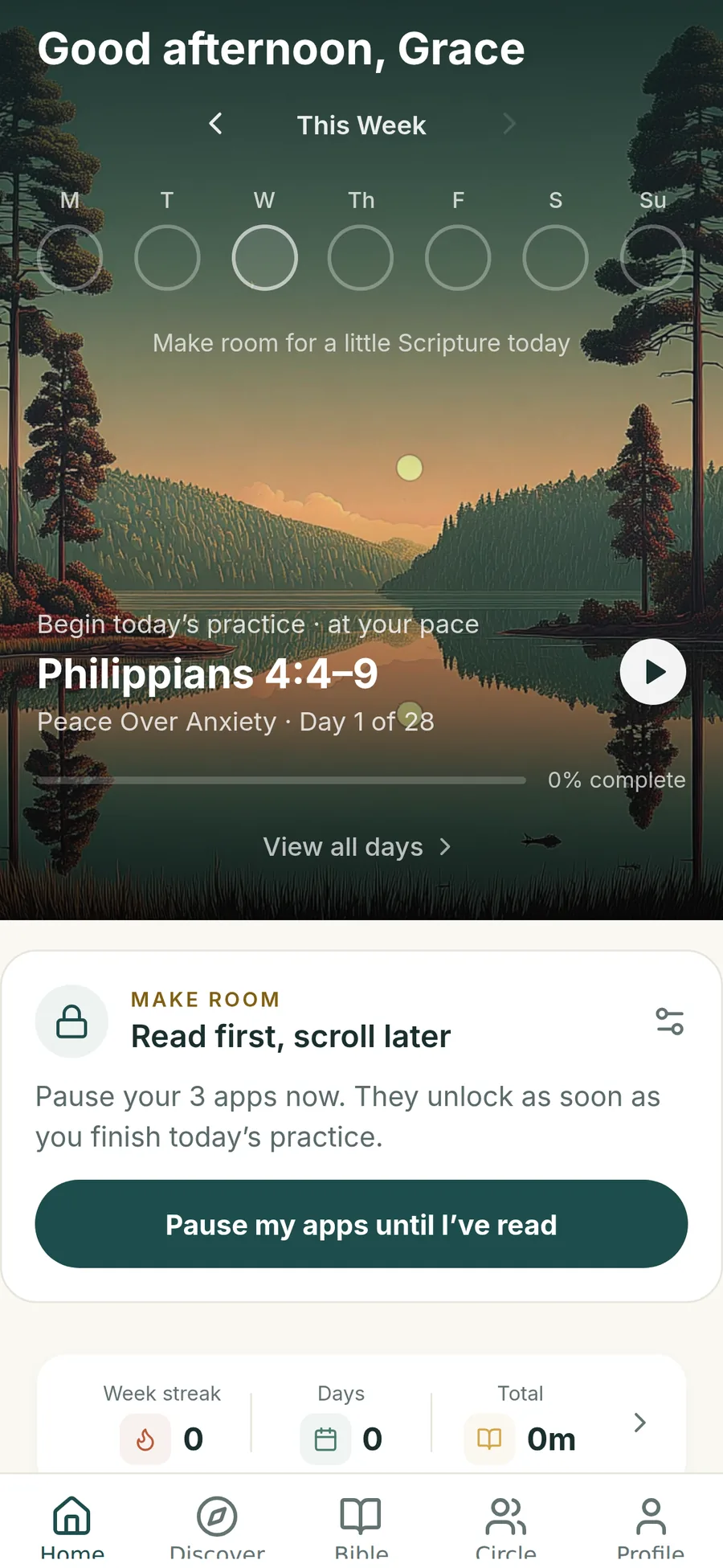
Pick your days. Home shows your week filling in, one practice at a time.
A refreshed Threshold is on the way. This page previews the upcoming update; the App Store currently offers the existing version.
Scripture · Reflection · Prayer
Guided Scripture in about 10–15 minutes, four days a week. Read, reflect and pray at your own pace.
Why four? In a study of 40,000 people, the biggest differences showed up in those who engaged the Bible at least four days a week. Threshold is built around that rhythm.
7 days free · No perfect streak required
Four days a week.
A place to return to.
The research Threshold is built on
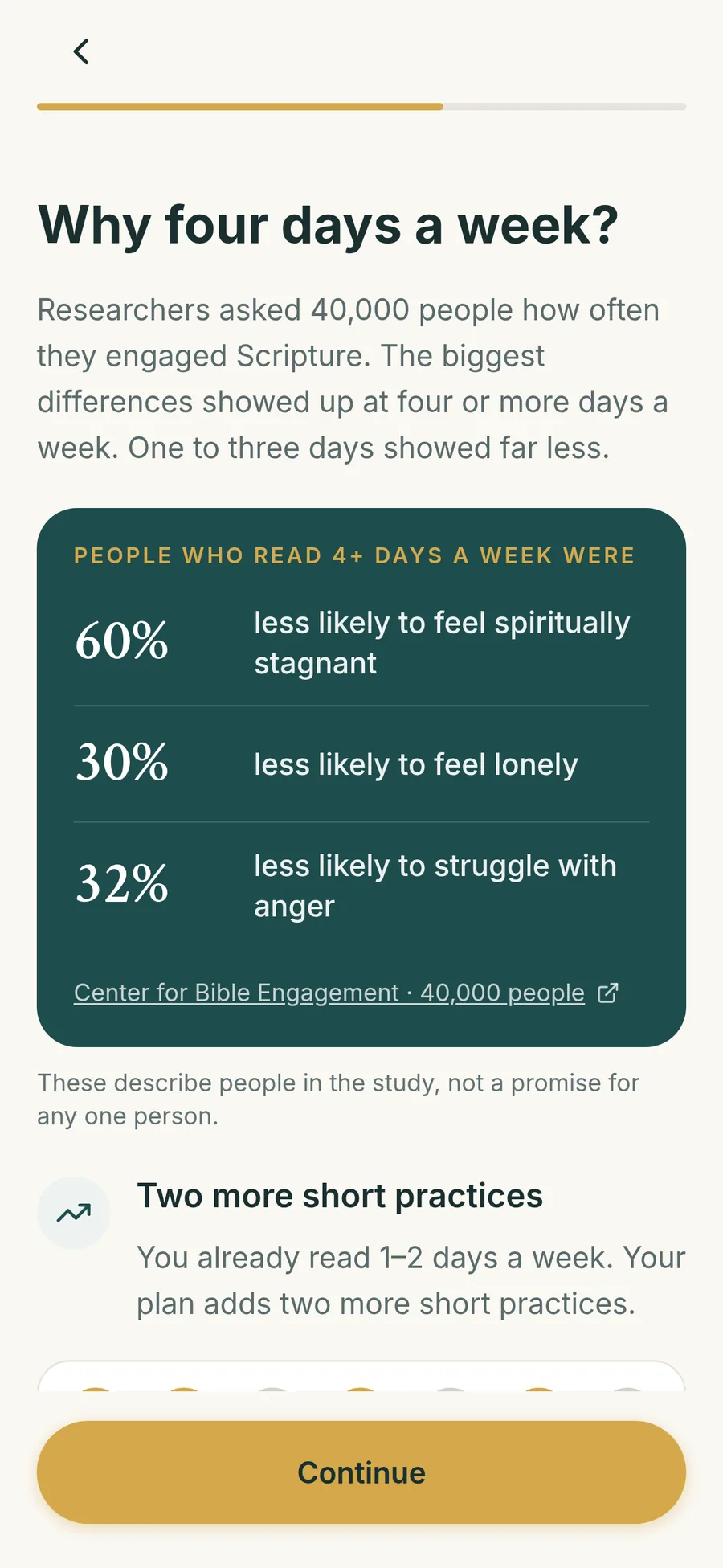
Researchers at the Center for Bible Engagement asked about 40,000 people, ages 8 to 80, how often they read or listened to the Bible, and how life was going. People who engaged Scripture one to three days a week looked about the same as people who didn’t engage at all. At four or more days a week, the picture changed.
These numbers describe differences between groups of people in the study. They aren’t a promise for any one person, and your rhythm is never a measure of your faith.
So we built the whole app around four
Pick your days. Home shows your week filling in, one practice at a time.
One passage, one question, one prayer. Short enough for a real morning.
A missed day doesn’t erase your progress. Just return to your next practice.
Make room pauses the apps that pull you away until you’ve read.
You’ll see the research in the app from your first minute, with findings chosen for what you want God to meet you in.
Every practice, three simple steps
You don’t need a perfect morning or the right words. Bring your attention to one passage, then make it your own.
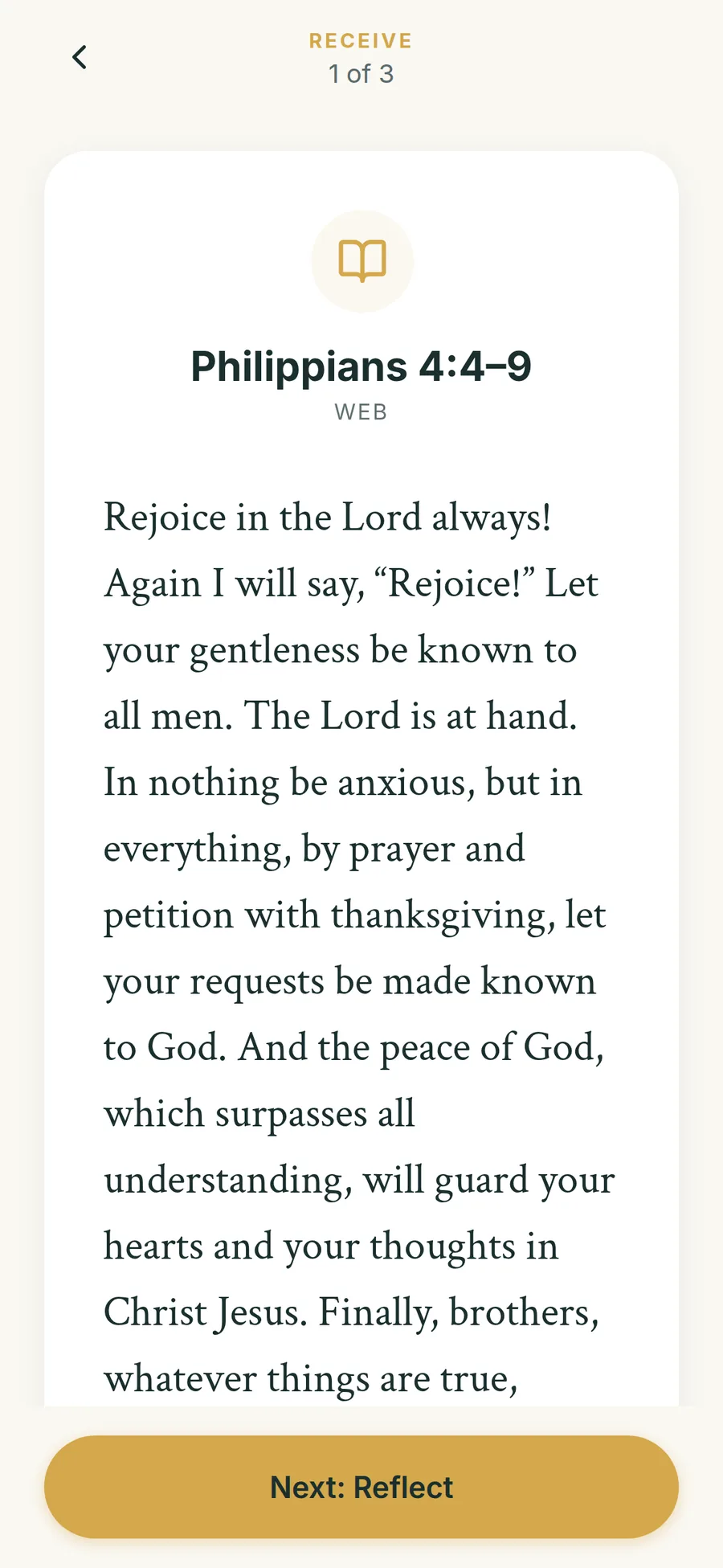
Read a short passage slowly, with context when you want it and the full chapter a tap away.
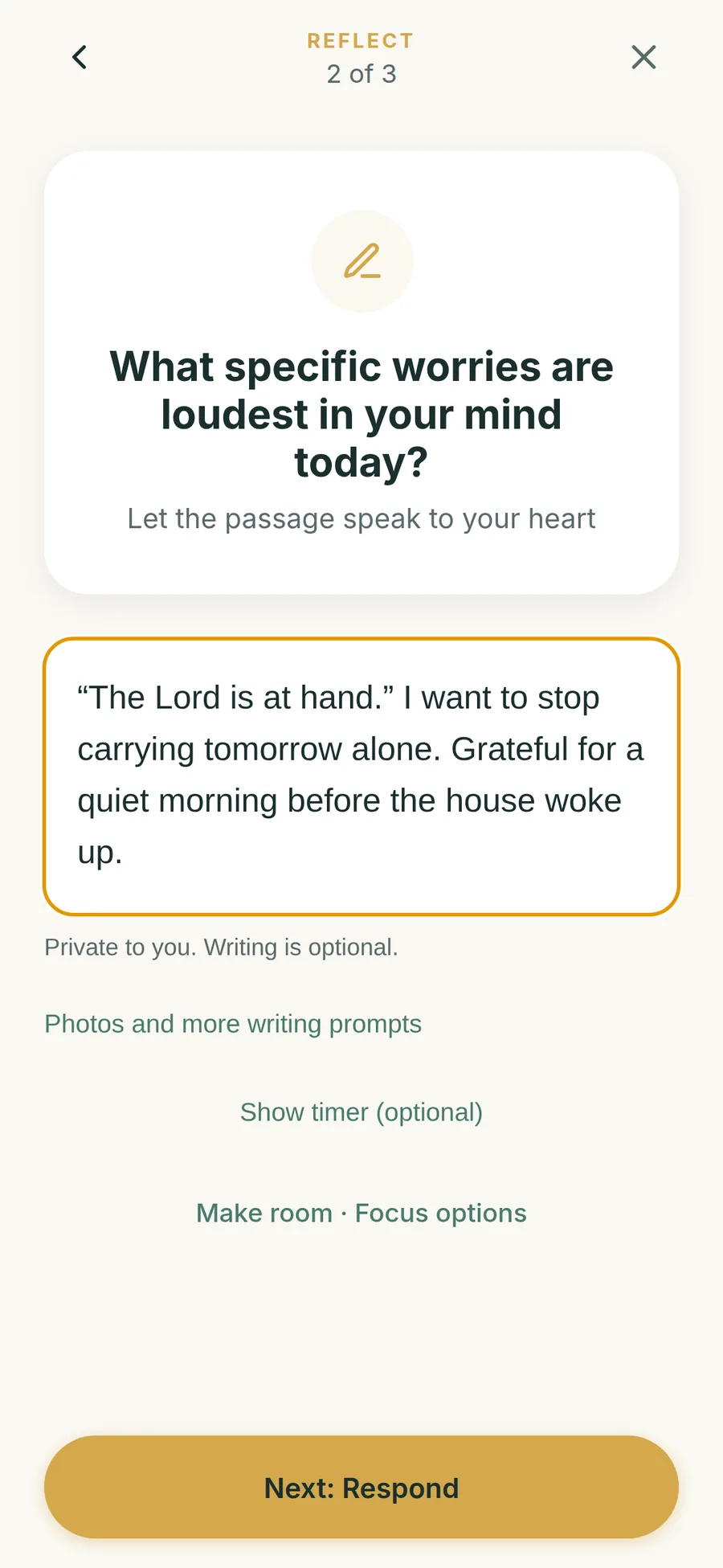
A prompt written for today’s passage. Write a private reflection, or simply sit with it.
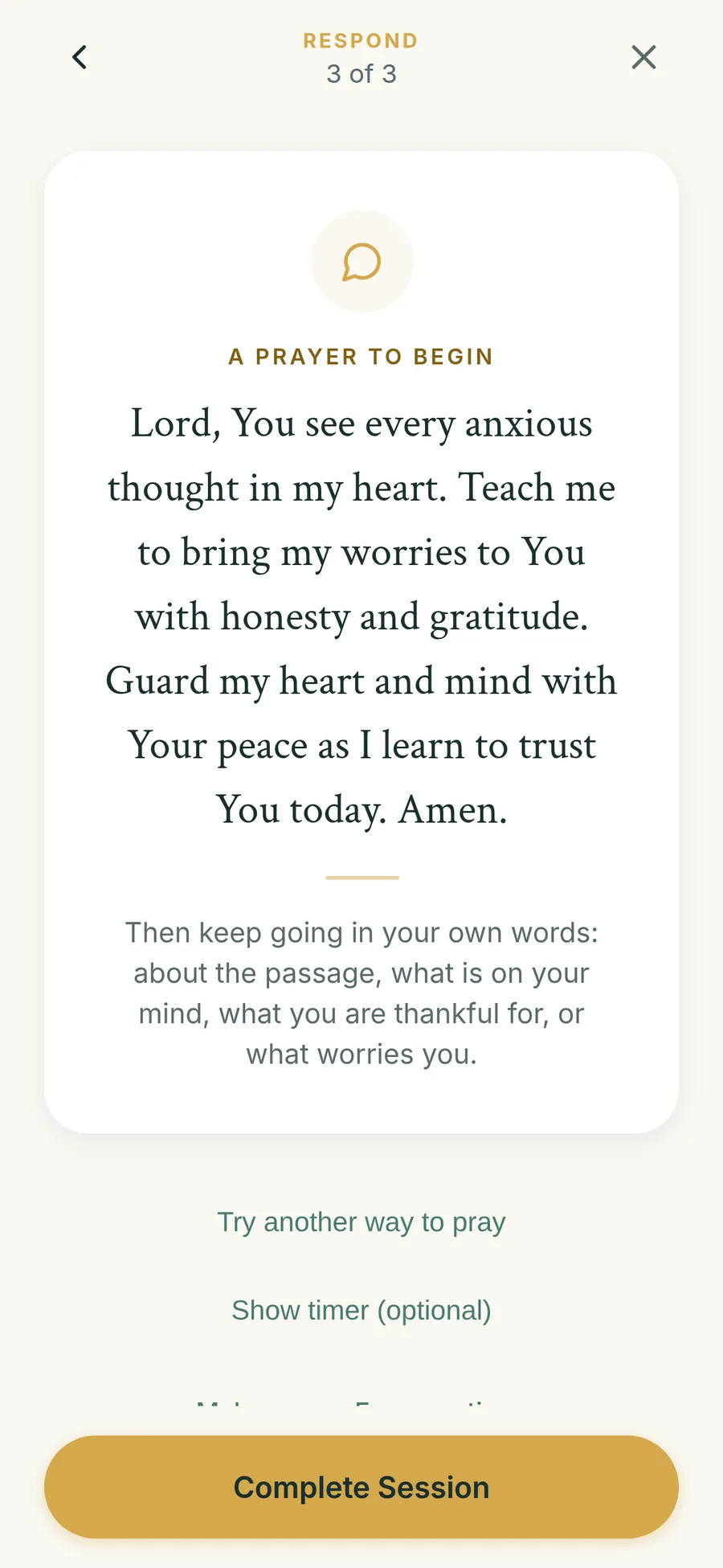
Begin with a prayer drawn from the passage, then keep going in your own words.
New · Make room
Choose the apps that pull you away: social, news, email, games. Threshold pauses them until you finish today’s practice. The moment you do, they open again.
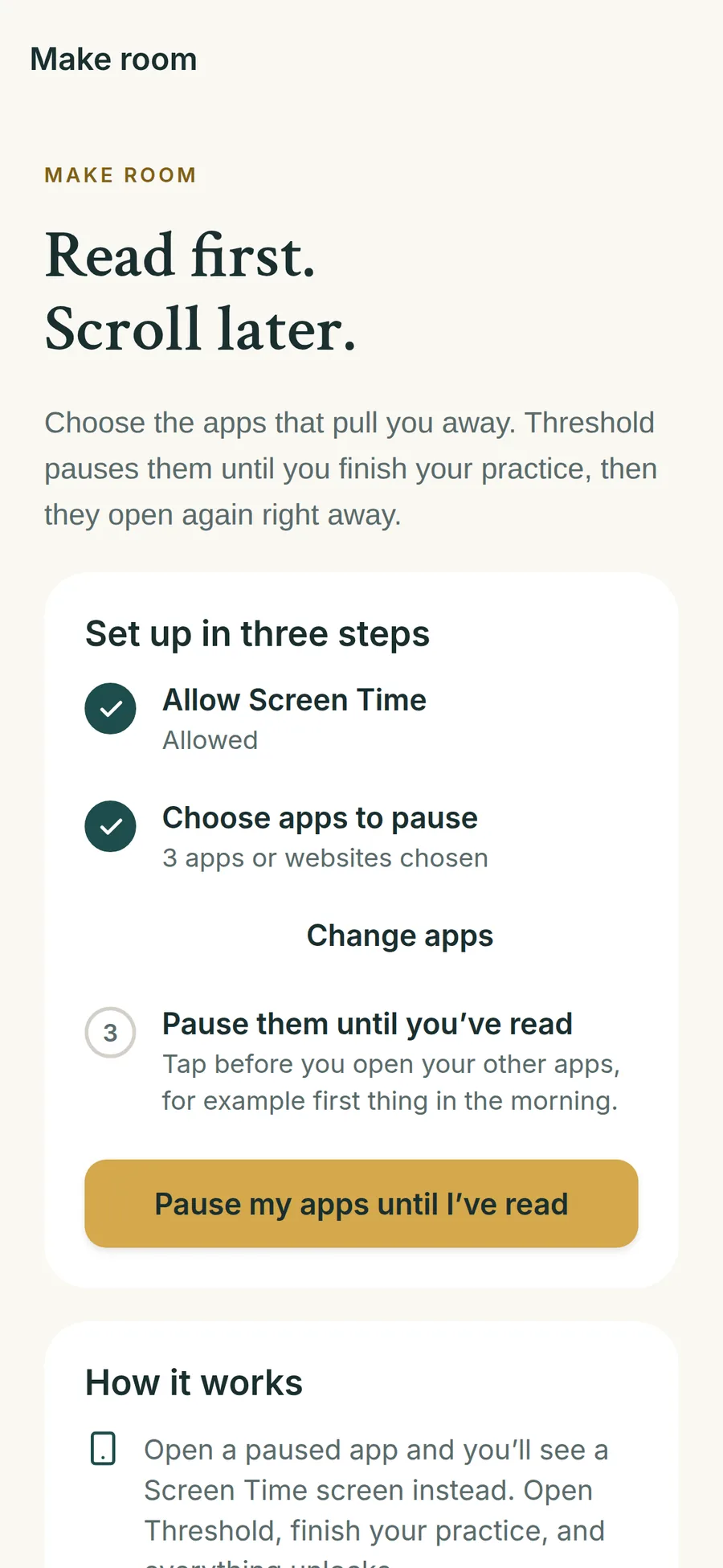
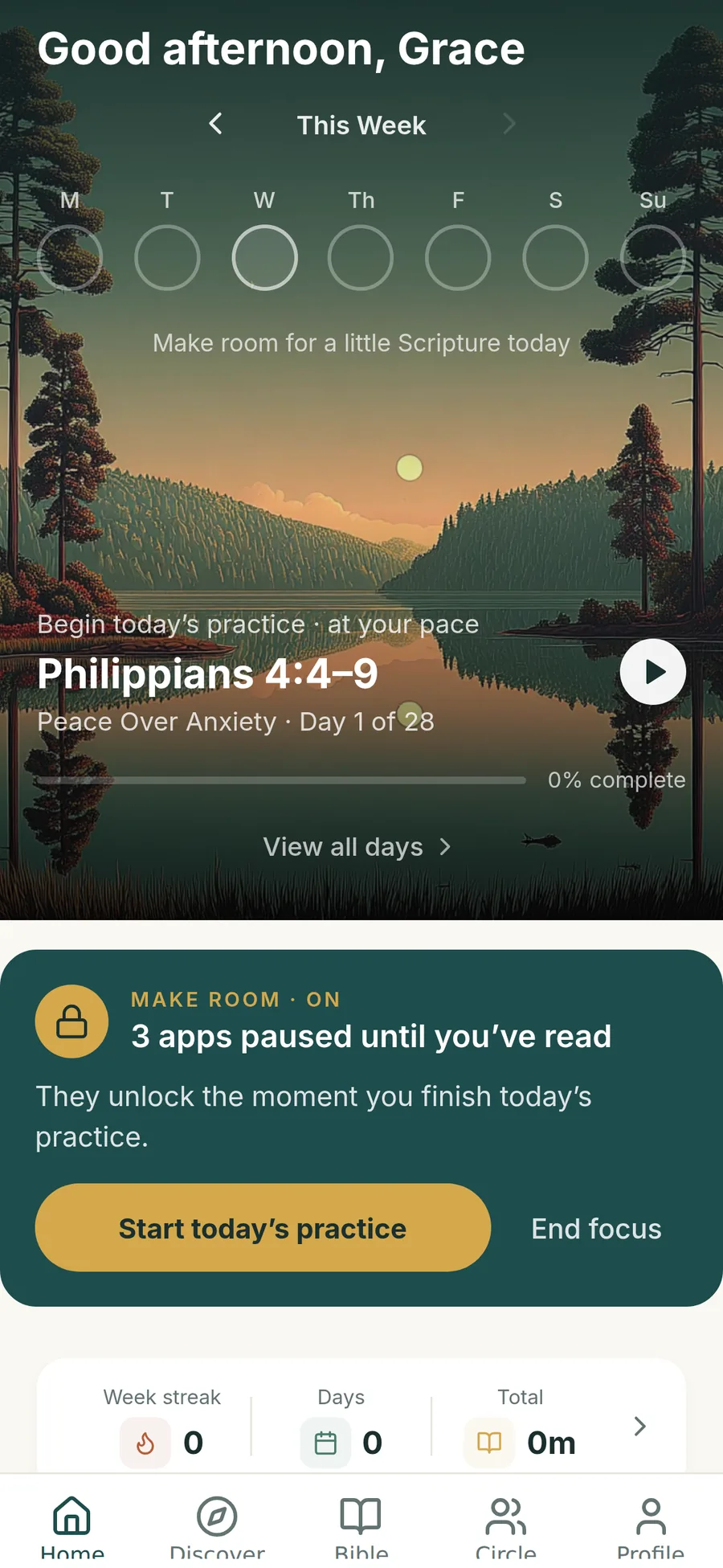
Finish Respond → your apps unlock
Try it here
Step inside the practice: receive Scripture, write an optional reflection, and respond in prayer. Use the same controls and prayer prompts you’ll find in Threshold.
This browser preview uses Psalm 23. Your writing and photos stay on this page, are never uploaded, and clear when you restart or reload. Saving to your journal happens in the app.
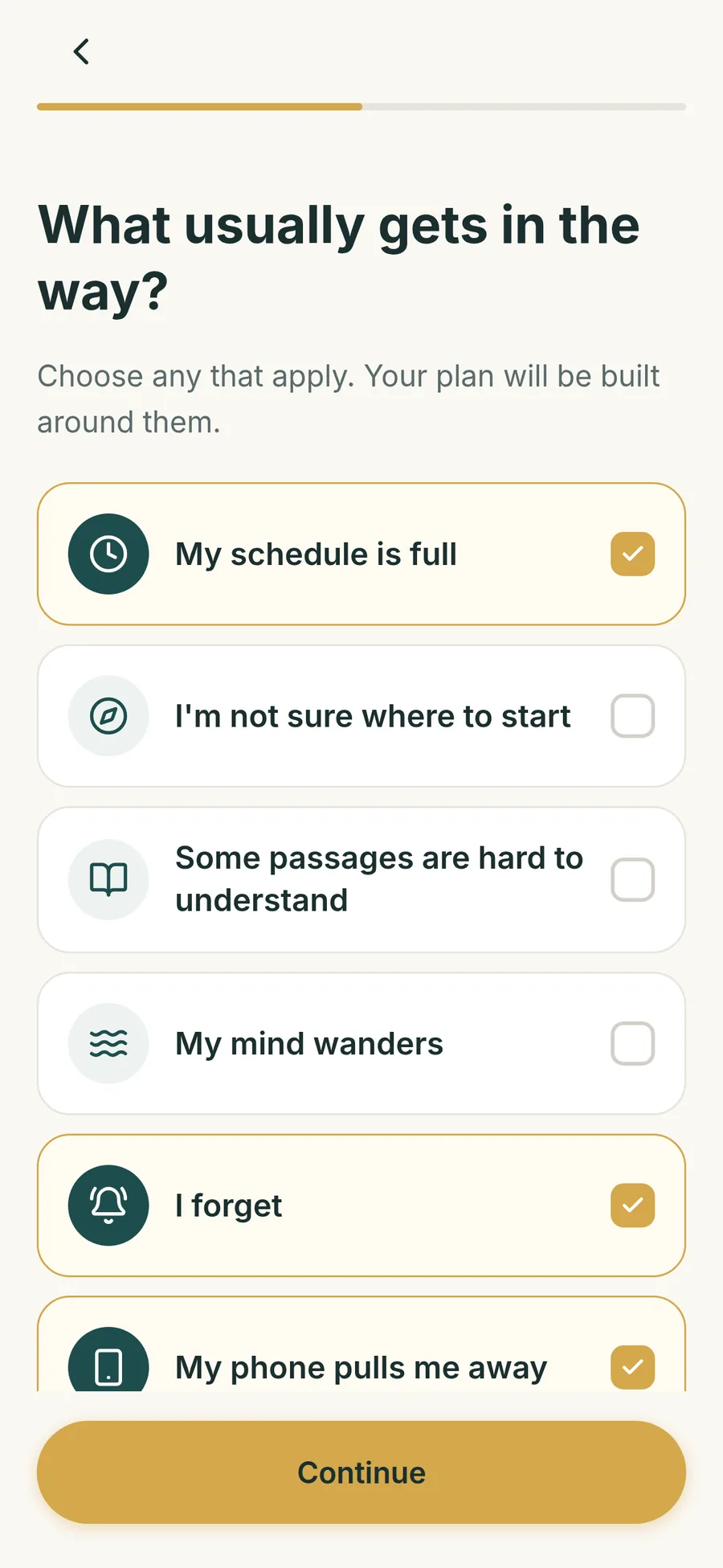
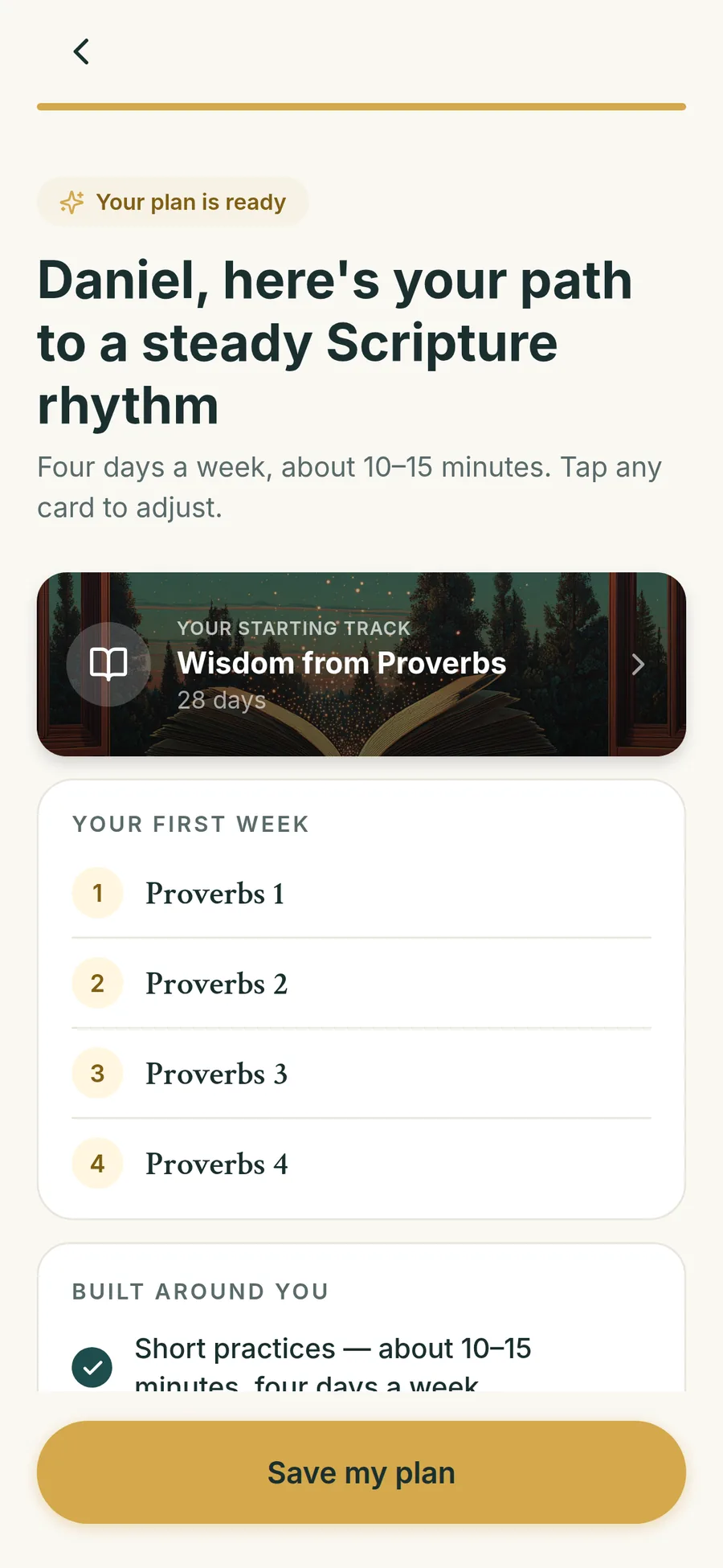
A plan built around you
A few quick questions: what you’d like God to meet you in, how often you open the Bible now, and what usually gets in the way. Threshold turns your answers into a first week: a guided journey, four short practices, and a plan for each obstacle.
Start with a steady Scripture rhythm, peace in an anxious season, growing closer to God, room for grief, or getting to know Jesus.
A look inside Threshold
Find a journey for your season, open any chapter, and read alongside the people you love.
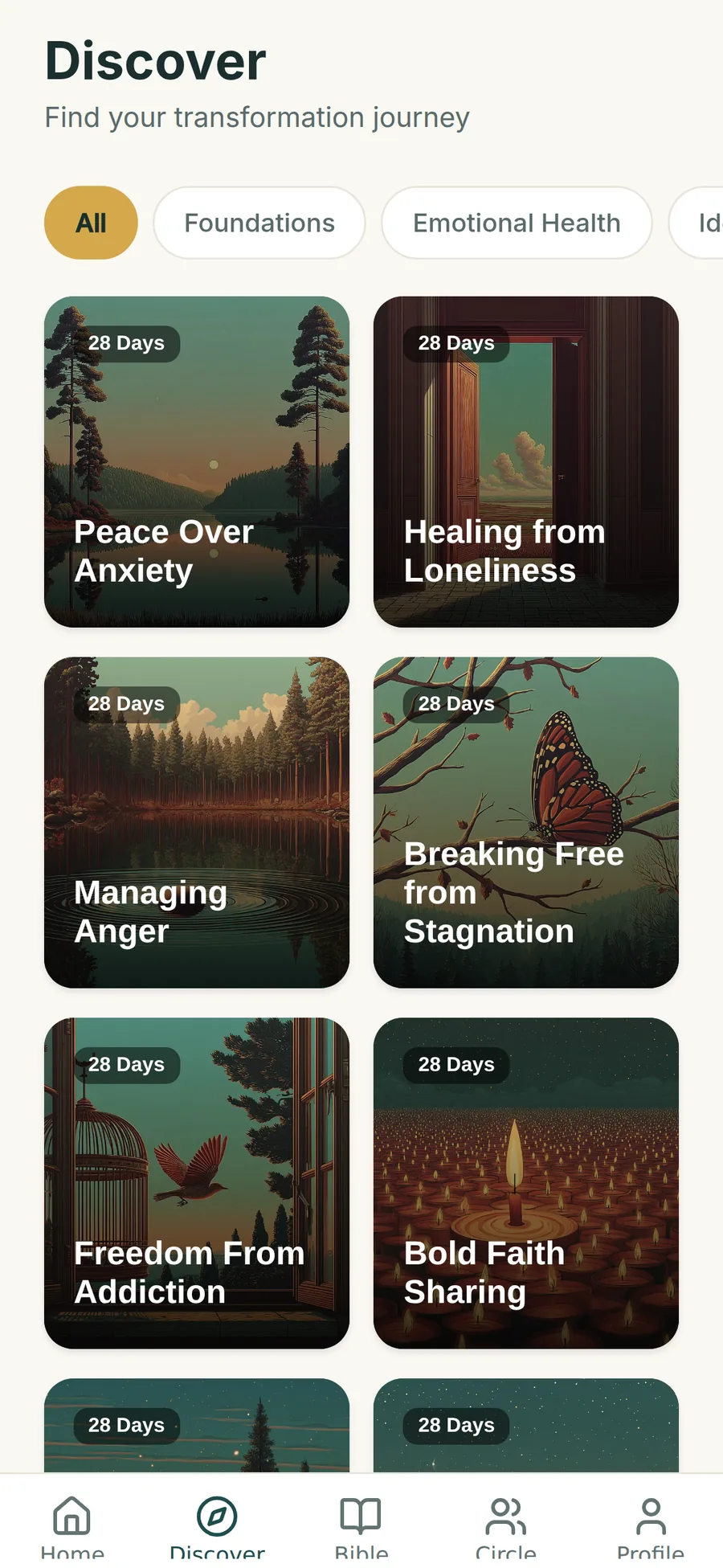
28-day journeys for anxiety, loneliness, anger, stagnation and more. Switch anytime; your progress is kept.
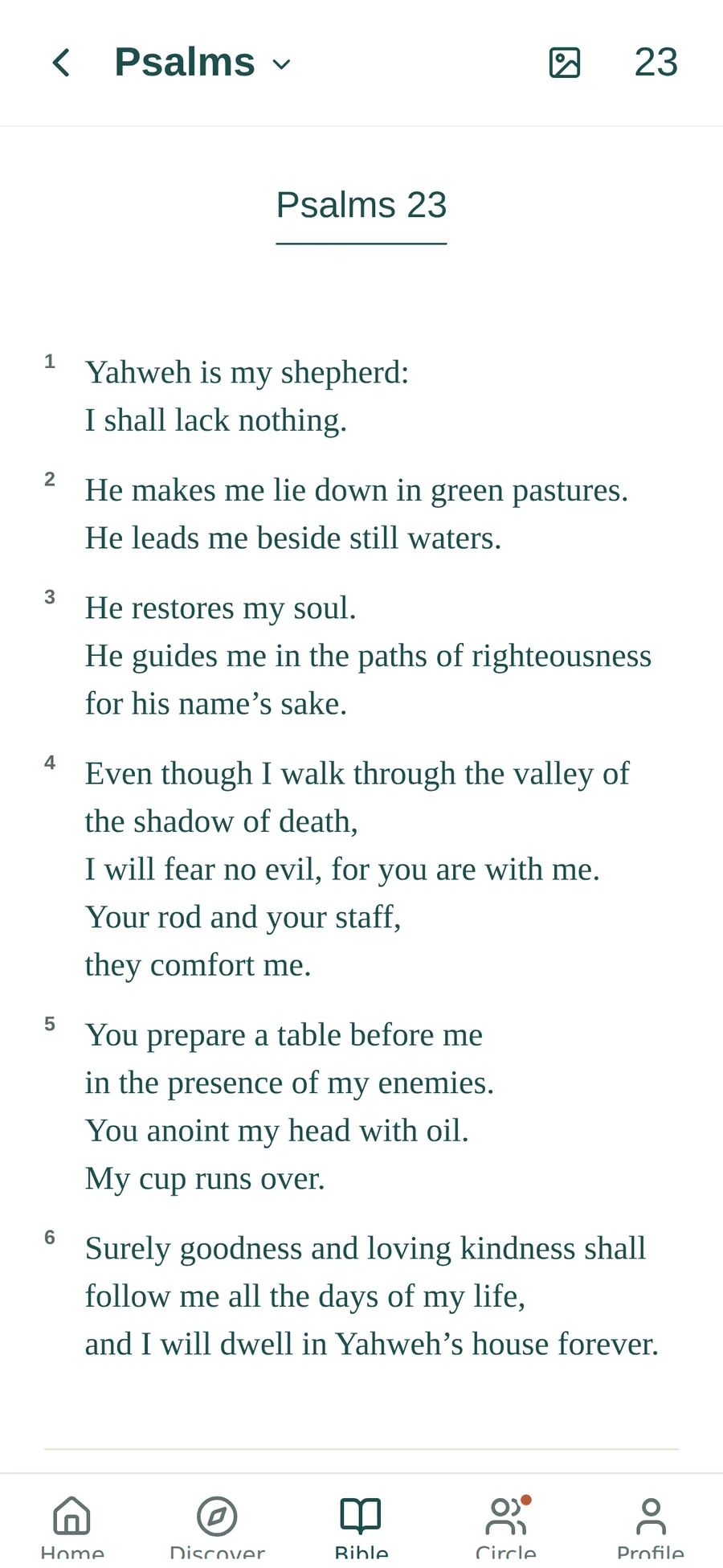
Open any chapter in full, or start a practice from a passage you choose.
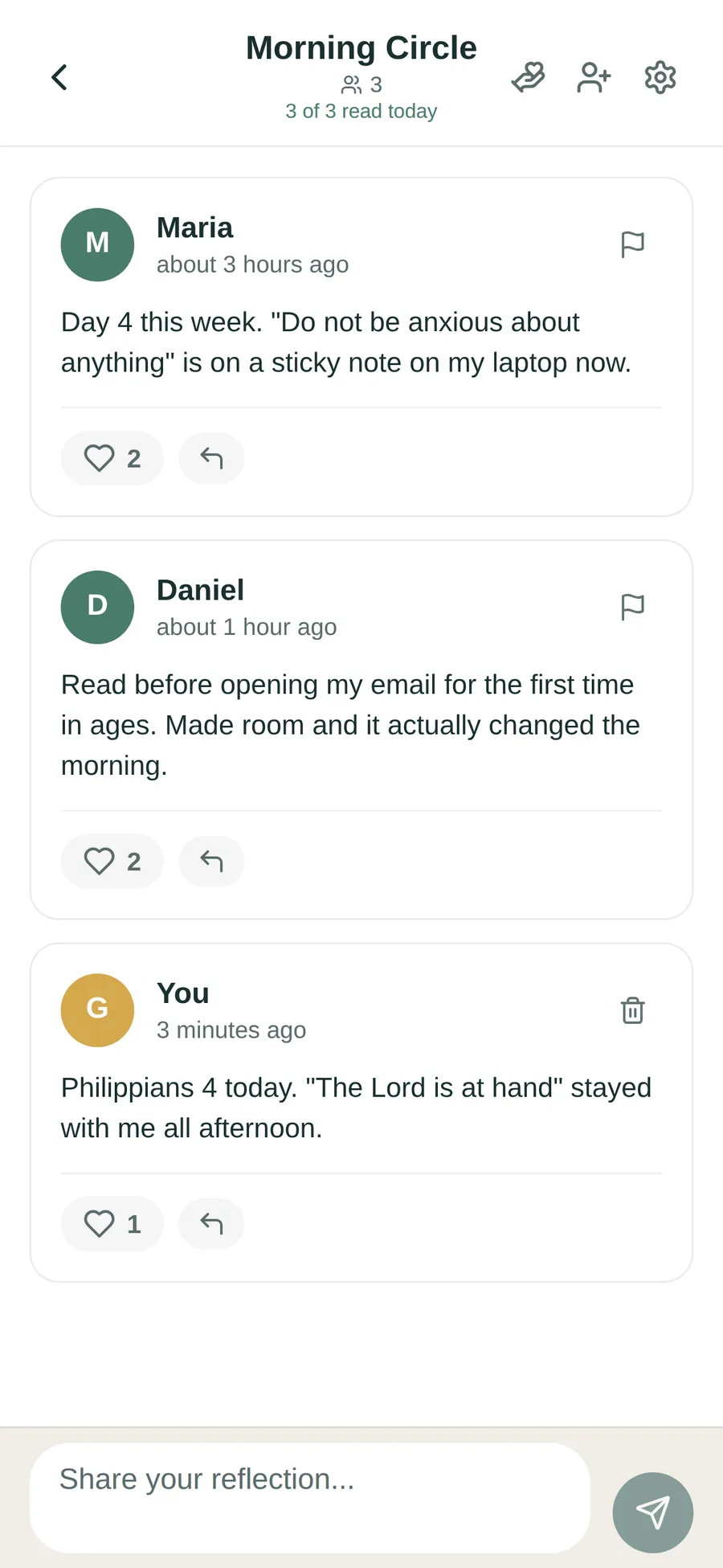
Invite a friend or small group to a Circle. Your journal stays private unless you choose to share.
Screens from the upcoming update. Details may vary slightly by device.
Room to begin. A rhythm to keep.
Receive. Reflect. Respond. All the way through.
The upcoming app update requires a trial or subscription to begin. Existing members keep their previous free access. The short practice on this website is a separate demonstration.
Your ongoing Scripture rhythm.
Local prices and eligibility are confirmed in the app before subscribing. After the trial, your selected plan renews automatically until canceled. Cancel in App Store subscription settings.
Help with subscriptions →A few things you might be wondering
A Center for Bible Engagement study of about 40,000 people found that people who engaged Scripture one to three days a week looked much like people who didn’t engage at all, while those at four or more days a week showed large differences. For example, they were 60% less likely to feel spiritually stagnant and 30% less likely to feel lonely. Every day is welcome; four is the rhythm your plan is built around. These are differences between groups of people, not a promise for any one person. Read the Lifeway Research summary.
Begin again when you can. A missed day doesn’t erase your progress; just return to your next practice. Four days is a practical weekly rhythm, not a measure of your faith.
Make room uses Apple’s Screen Time. You choose the apps; Threshold pauses them until you finish today’s practice, then they open again right away. You can end focus at any time from Home, so you’re never stuck. Threshold can’t see your app usage. It needs an iPhone with iOS 16 or later.
Your journal is private to your account. Sharing a reflection with a Circle is a separate choice. The weekly recap does not post your writing automatically.
Most people take about 10–15 minutes, but move at your own pace. A timer is there if it helps, and it’s optional.
Yes. In the app, open Profile and choose Message Jeremy, or email jeremy@threshold-app.com. You’ll hear back from the person who builds Threshold.
Manage an Apple subscription through your Apple account. Account deletion is a separate action in Threshold’s settings and does not cancel an Apple subscription. See account and subscription help.
You can begin again today
Come for one passage. Find a rhythm you want to return to.
Available for iPhone · 7 days free for eligible new subscribers